Turn your crews’ field records into answers you can act on.
Bring your Field Service Cloud records into Claude or ChatGPT to help run your landscape maintenance business. Work through operations reviews, property questions and client updates—with the recorded work and original photos available to check.
See the review and reporting options for your team.
Start with your question. Bring the relevant information together.
Whether you’re exploring AI or already use it, Claude or ChatGPT gives you a place to ask business questions in your own words, follow up and prepare communications.
Field Service Cloud brings in the service records, inspection findings, task updates and photos your crews record in Field Assistant during their normal work. Managers and office staff can use those records alongside the business background and instructions they provide—without first gathering and pasting the field records into chat.
For example, if you use QuickBooks or HubSpot and have a supported connection, relevant accounting or customer information could join the conversation too.
Work through the question, inspect the field information and shape something useful for your team or a client. Open the Field Service Cloud Workspace in supported connections to check recorded details and original photos alongside the conversation.
Available information depends on your AI application, supported connections, permissions and the records you choose to share.
Put your field records to work across your business.
Three starting points, using fictional Janmar Landscapes records. Follow the questions that matter to your operation.
Know what to discuss with each crew leader.
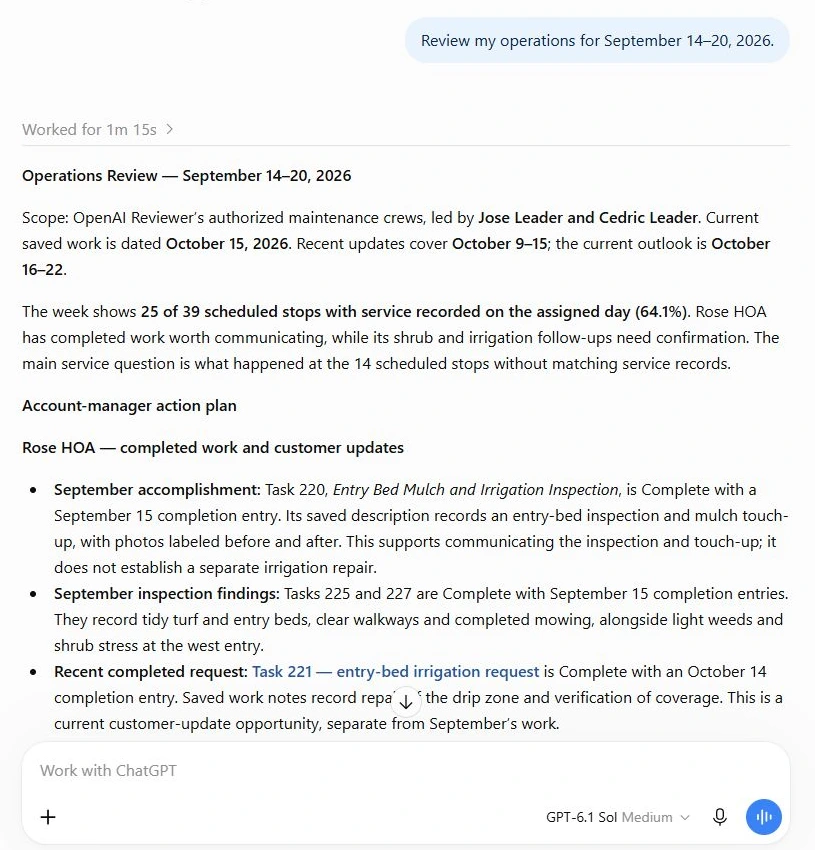
“Review my operations for September 14–20, 2026.”
The review shows service recorded for 25 of 39 scheduled stops. The other 14 need confirmation. Check with the crew leaders whether those stops were completed, skipped or rescheduled.
Use the recorded work and property follow-up to prepare specific questions for each crew conversation.
Turn a property concern into specific checks.
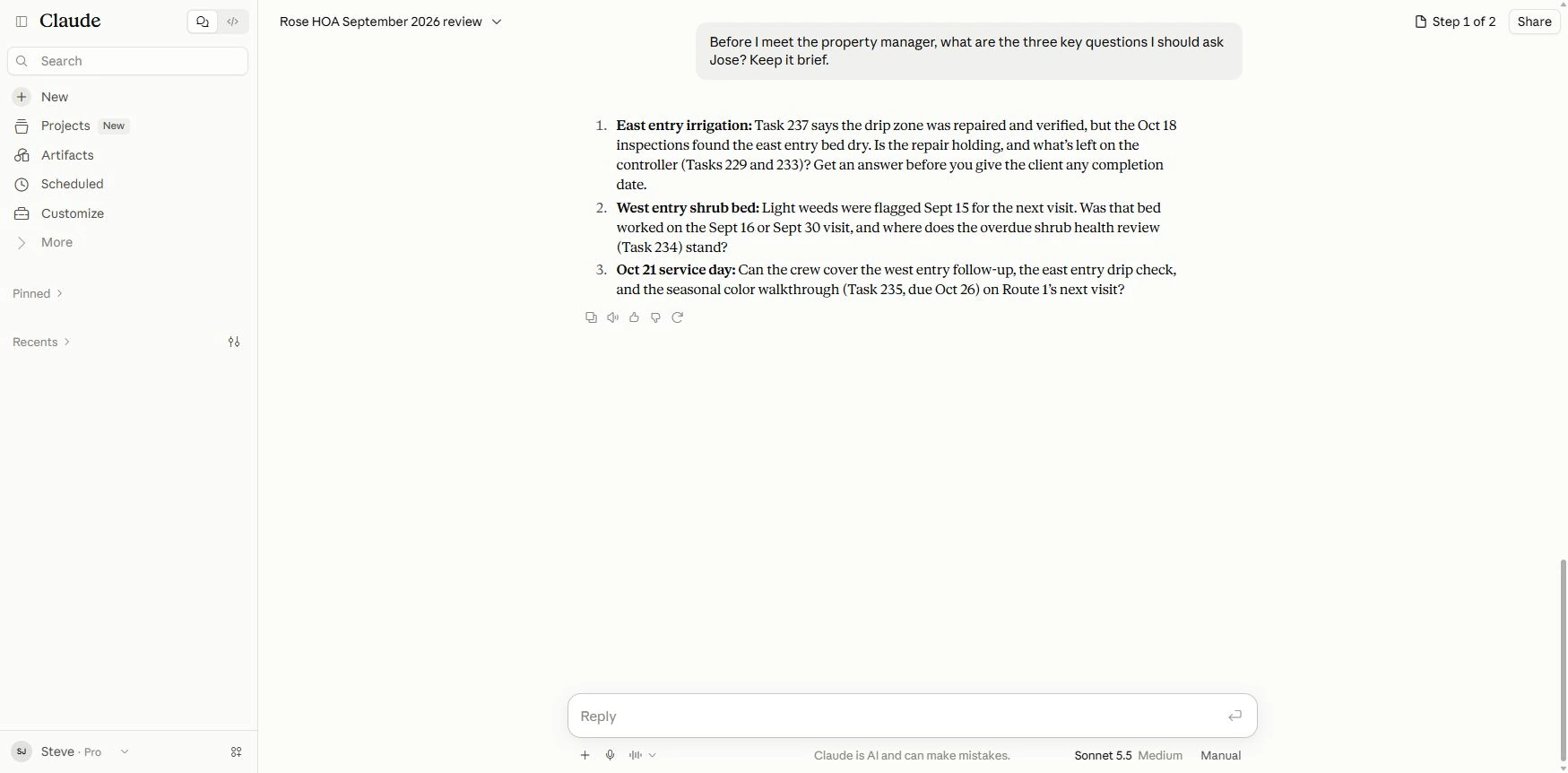
A starting question: “What should I check with the crew leader at Rose HOA?”
Here, the drip-zone repair was recorded as repaired and verified, but a later inspection found the east entry bed dry. The manager has a specific crew question: is the repair holding, and what still needs checking before giving the client a completion date?
Show clients the work your team delivered.
Start with: “Prepare Rose HOA’s monthly report using the selected work, inspection findings and photos.”
Check the information behind the report.
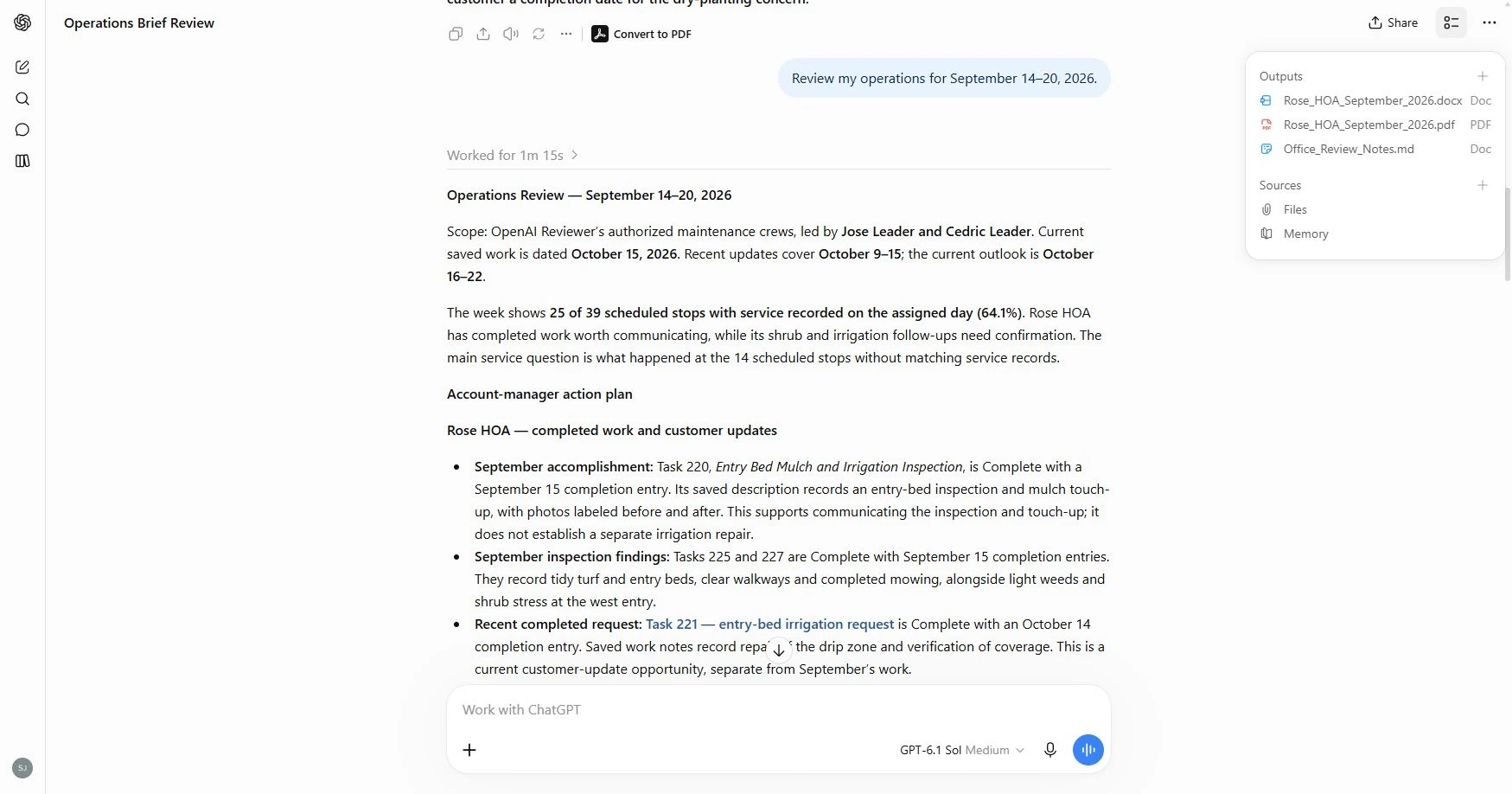
In supported Claude and ChatGPT connections, the Field Service Cloud Workspace lets you review the recorded service, tasks, inspections and original photos alongside the conversation. Choose the evidence your client should see, check the saved details and captions, and open the source in Field Manager when you need more context.
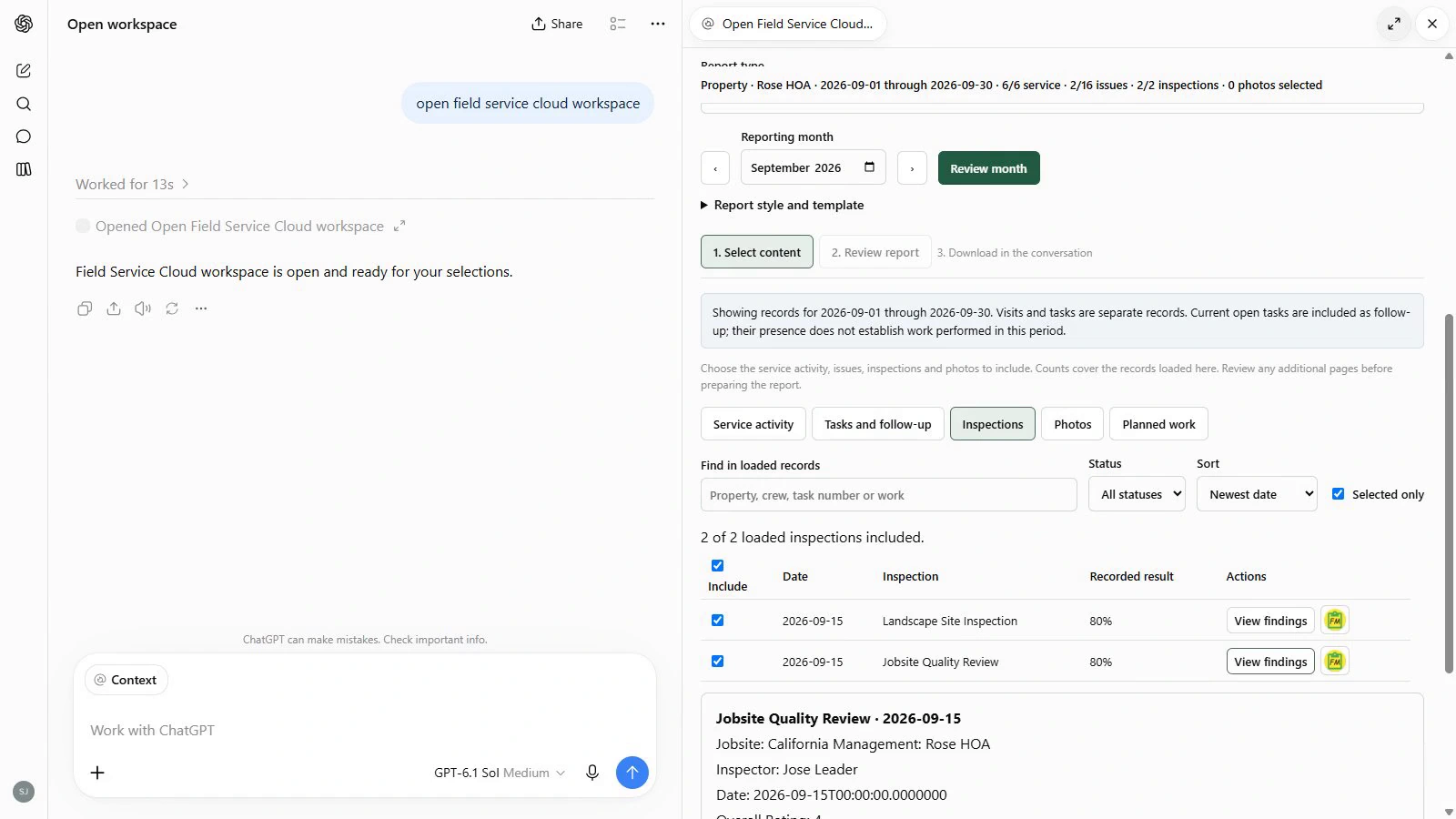
Give the client a clear account, with supporting photos.
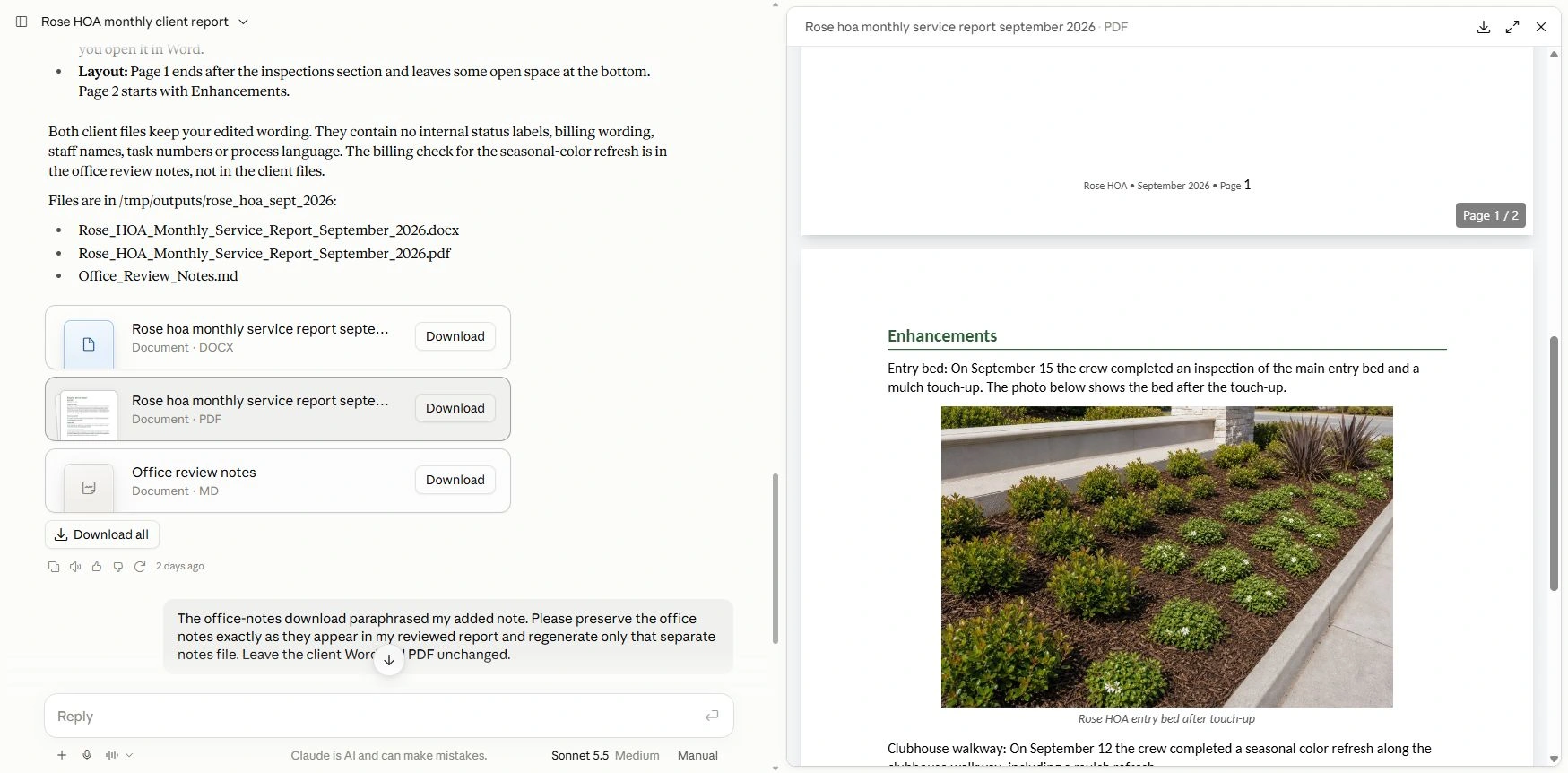
This Claude example includes the selected work, inspection findings and an original entry-bed photo with its saved caption. Help your client see the value of ongoing maintenance, even when they weren’t there to see the work.
Review the draft and make your edits. Generate Word for further editing or PDF for review before sharing. Keep office follow-up notes separate from the client document.
Make the result fit the audience.
The same recorded work can support a crew review, an HOA board report or a property-manager update. Ask for the detail and emphasis each needs:
- “Shorten the overview and leave out the individual visit dates.”
- “Organize the follow-up by crew leader.”
- “Lead with completed improvements and photos.”
Adjust the detail, wording and emphasis in the same conversation. Supply your preferred headings or an example of how you communicate. Where your AI application supports saved instructions or skills, reuse and update them as your needs change.
Ask Janmar to confirm connection and Workspace availability for your Claude or ChatGPT account. Review AI-generated answers and documents before using them. The connection does not change Field Service Cloud records or send reports to customers.