Crew leaders complete or skip mowing visits from their Field Assistant route, giving the office service records to review before billing.
Know which mowing visits to bill
When service updates are scattered, the office has to reconstruct which visits happened before billing. Field Service Cloud keeps completed and skipped visits alongside per-service contract prices, so you can review the work before the accounting handoff.
Use the walkthrough to map this service example to your current crews, records, and review process.

Owners and office managers who bill recurring mowing by completed service visits.
Billing time should not mean chasing last month's visits
A scheduled mowing visit is not the same as a completed one. Weather, access problems, and route changes can leave the office checking messages or calling crew leaders to confirm what to bill. Field Assistant lets crews record service completion, and Field Manager gives the office completed and skipped visit records with contract price context for review.
Check skipped service before invoicing and decide which visits need follow-up or correction.
Keep jobsite contract prices available with the service records for office review before the accounting handoff.
The result
See the finished result
How It Works
See the service records behind the billing decision
Per-service mowing contracts, route completion checks, skipped-visit visibility, and Contracted Services review stay connected. Crews work from Field Assistant, and the office reviews completed visits before accounting handoff.
1
Start with per-service contract pricing
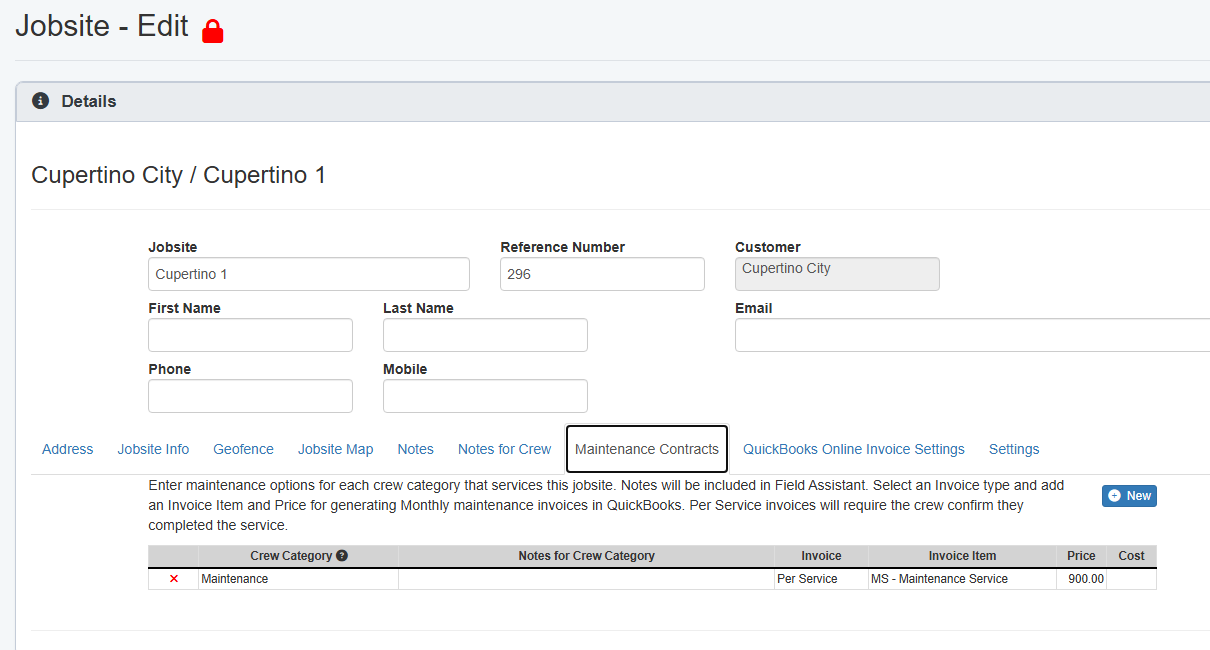
The jobsite Maintenance Contracts tab keeps the mowing service item, per-service invoice frequency, and price in the record before the crew services the site.
Per-service price is set on the jobsite.
2
Crews confirm each service visit
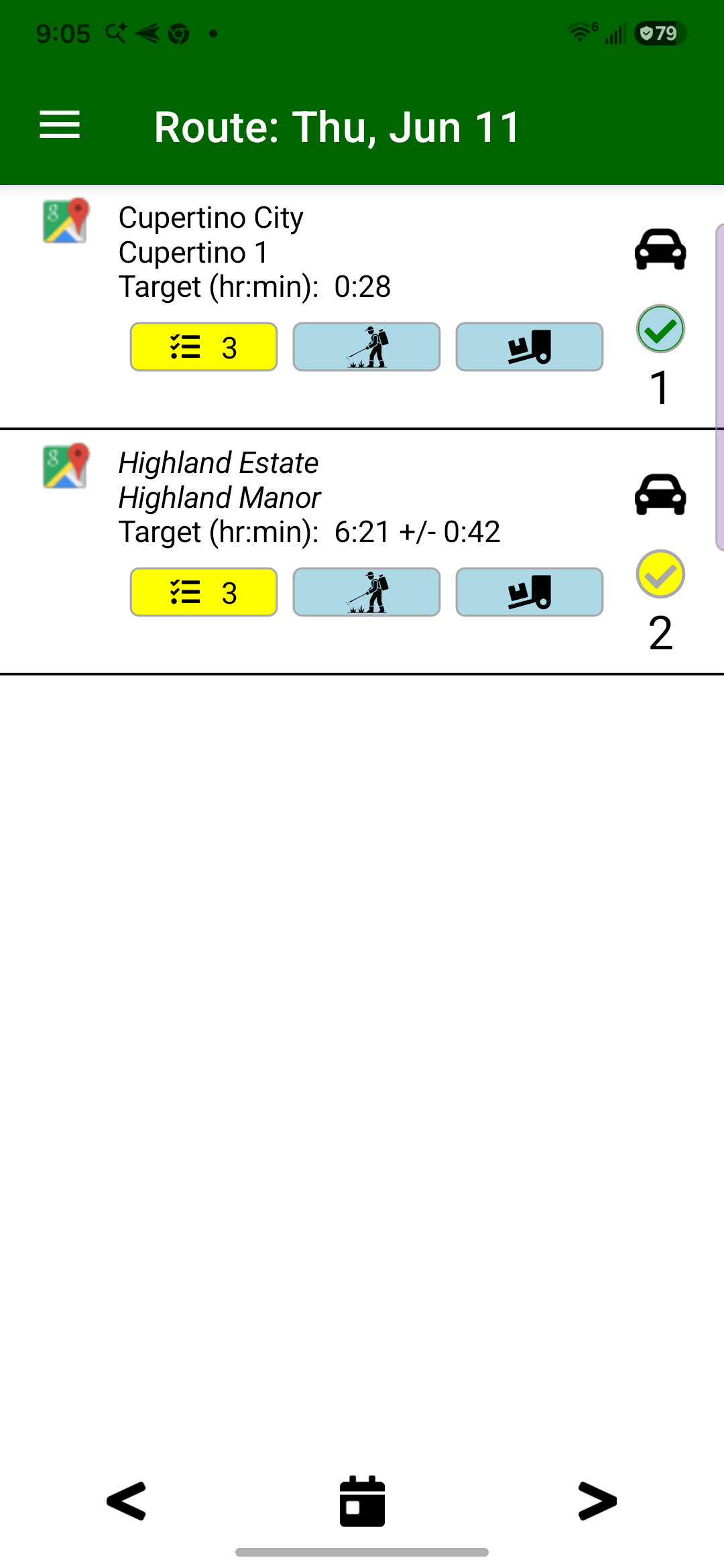
Crew leaders work from the route list and mark recurring mowing stops complete as they service them, creating the completion evidence the office reviews.
Completed stops start the billing record.
3
Review completed and skipped visits
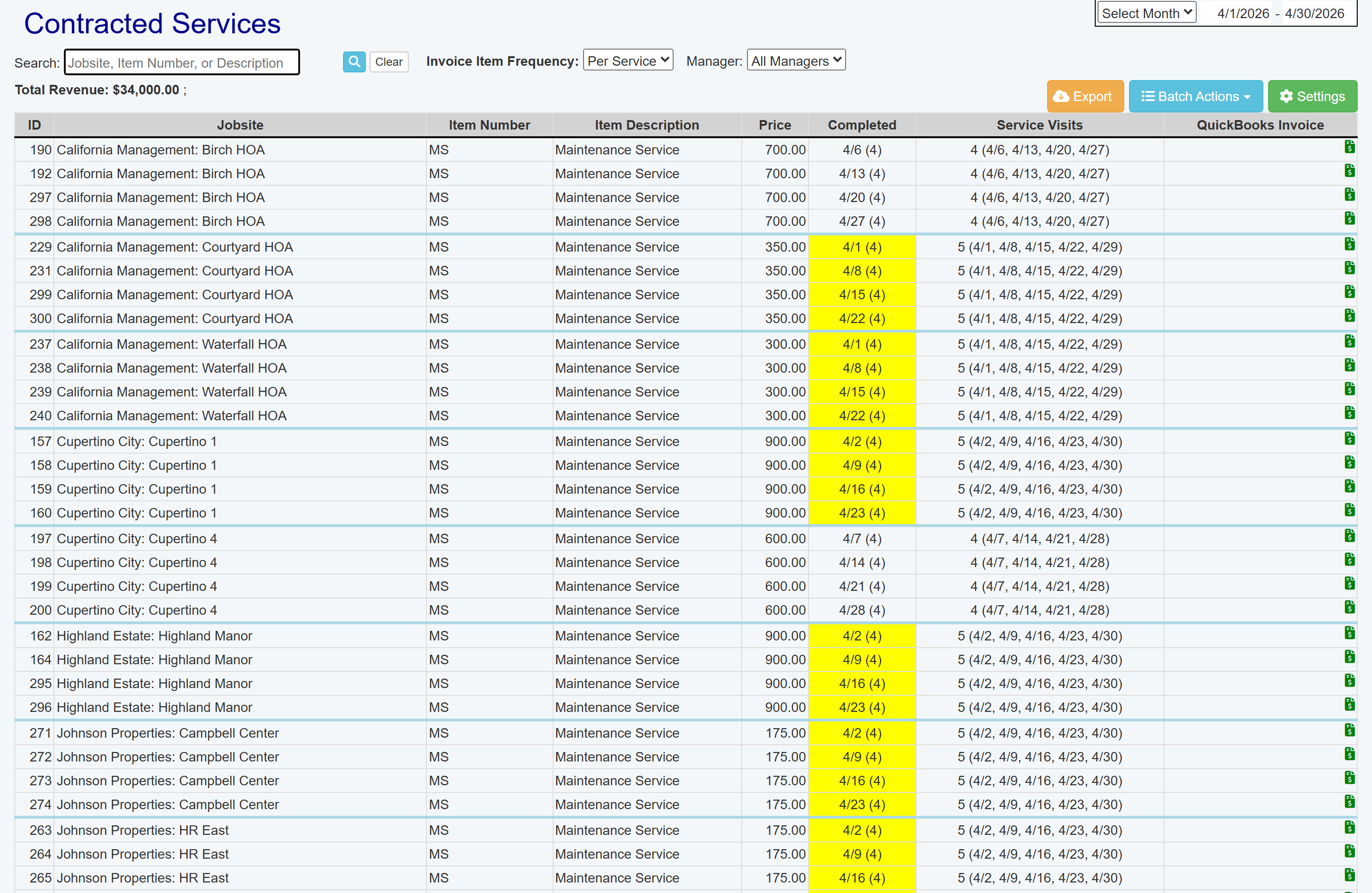
Contracted Services shows per-service mowing prices, completed dates, service visits, skipped work, and invoice status in one office review.
The office reviews before billing.
4
Prepare the QuickBooks handoff
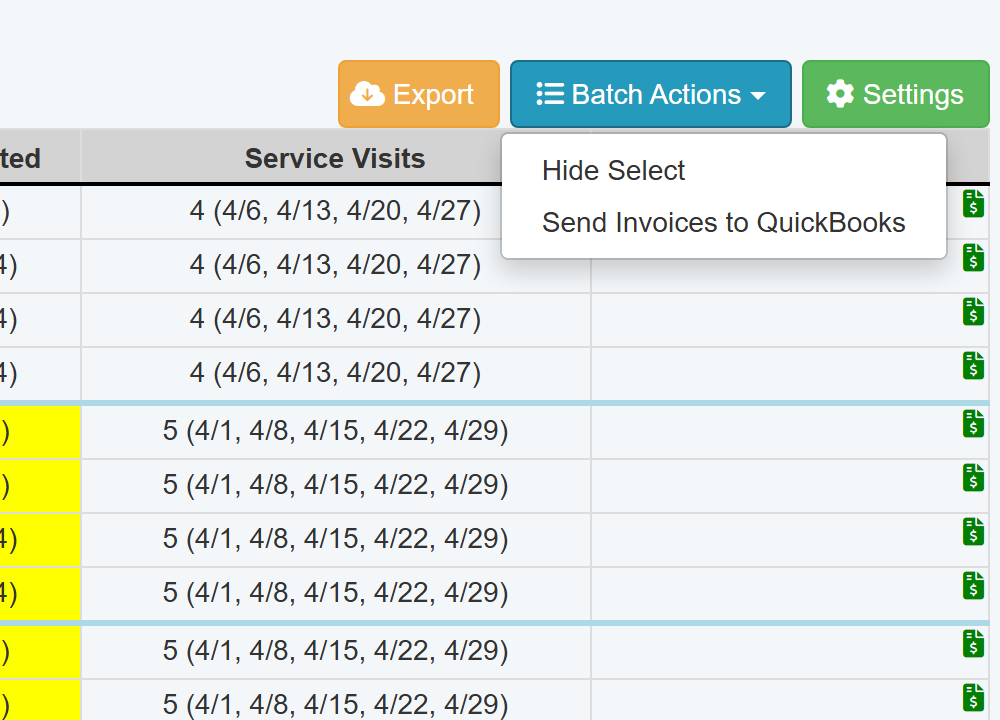
When QuickBooks Online is configured, Batch Actions lets the office select completed services and send reviewed invoices from the billing review screen.
Reviewed visits move to accounting.