Keep approved extra work visible after the crew leaves, so the office can check what is ready for invoicing.
Keep completed extras from being missed at billing
The crew finishes an extra, but the office still needs the approved scope and work details to invoice it. Field Service Cloud keeps the estimate, approval, materials, photos, and completion updates with the job so the office can review what is ready to bill.
Use the walkthrough to map this service example to your current crews, records, and review process.

Owners, account managers, and office managers who want enhancement requests and other site extras captured, approved, completed, and billed without losing the details.
Finished work still needs a clear handoff to billing
An approved planting improvement or cleanup extra can be easy to miss at billing when the request is in a text, the estimate is elsewhere, and the crew's material notes never reach the office. Field Service Cloud keeps the approved scope and actual work together, helping account managers explain the charges and the office review completed extras before invoicing. The separate irrigation solution shows the specialized repair-estimate path.
Review the approved scope, before-and-after photos, actual materials, and labor when a customer asks about the work.
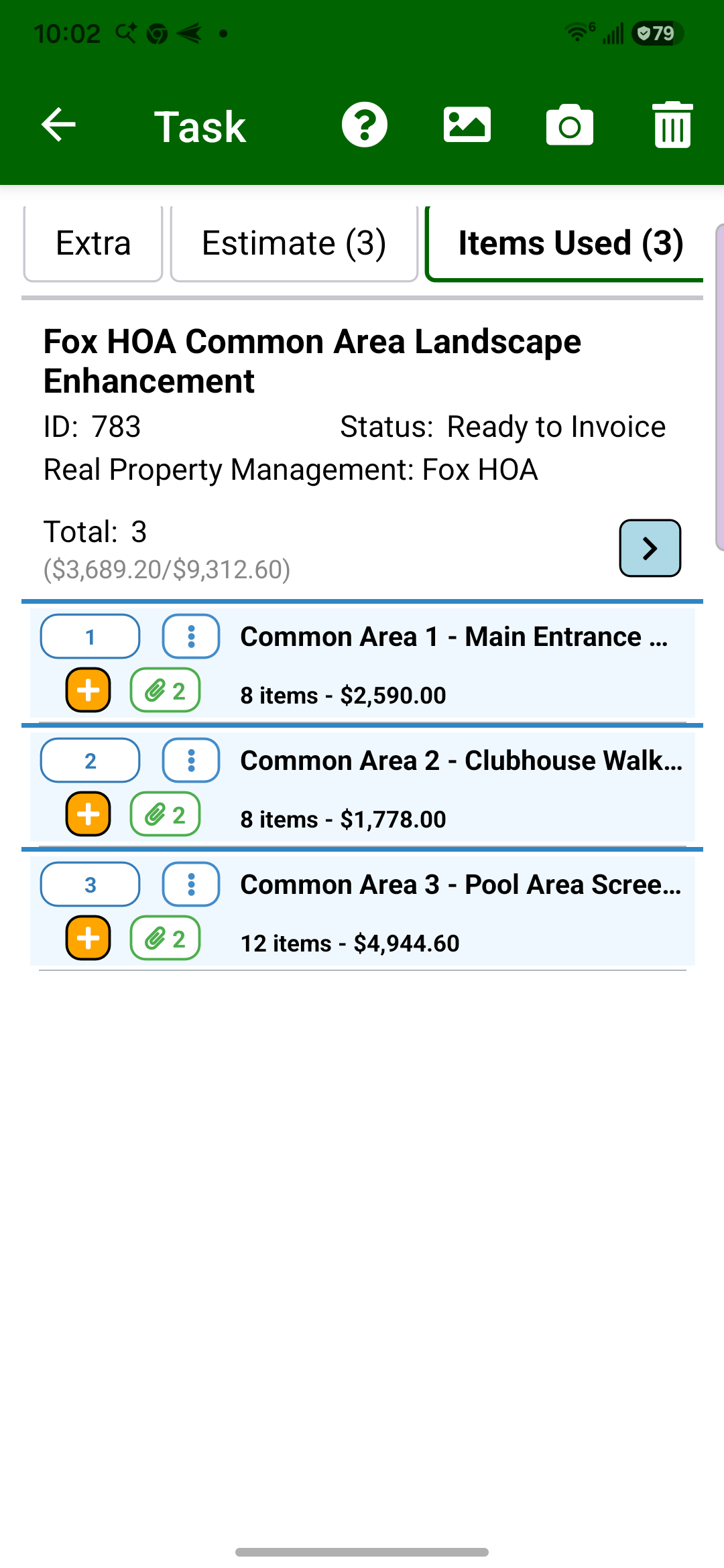
Crews can copy approved estimate lines into actual items used in Field Assistant and add completion photos, giving the office the detail it needs for invoice review.
The result
See the finished result
View completed invoice — page 1 of 2
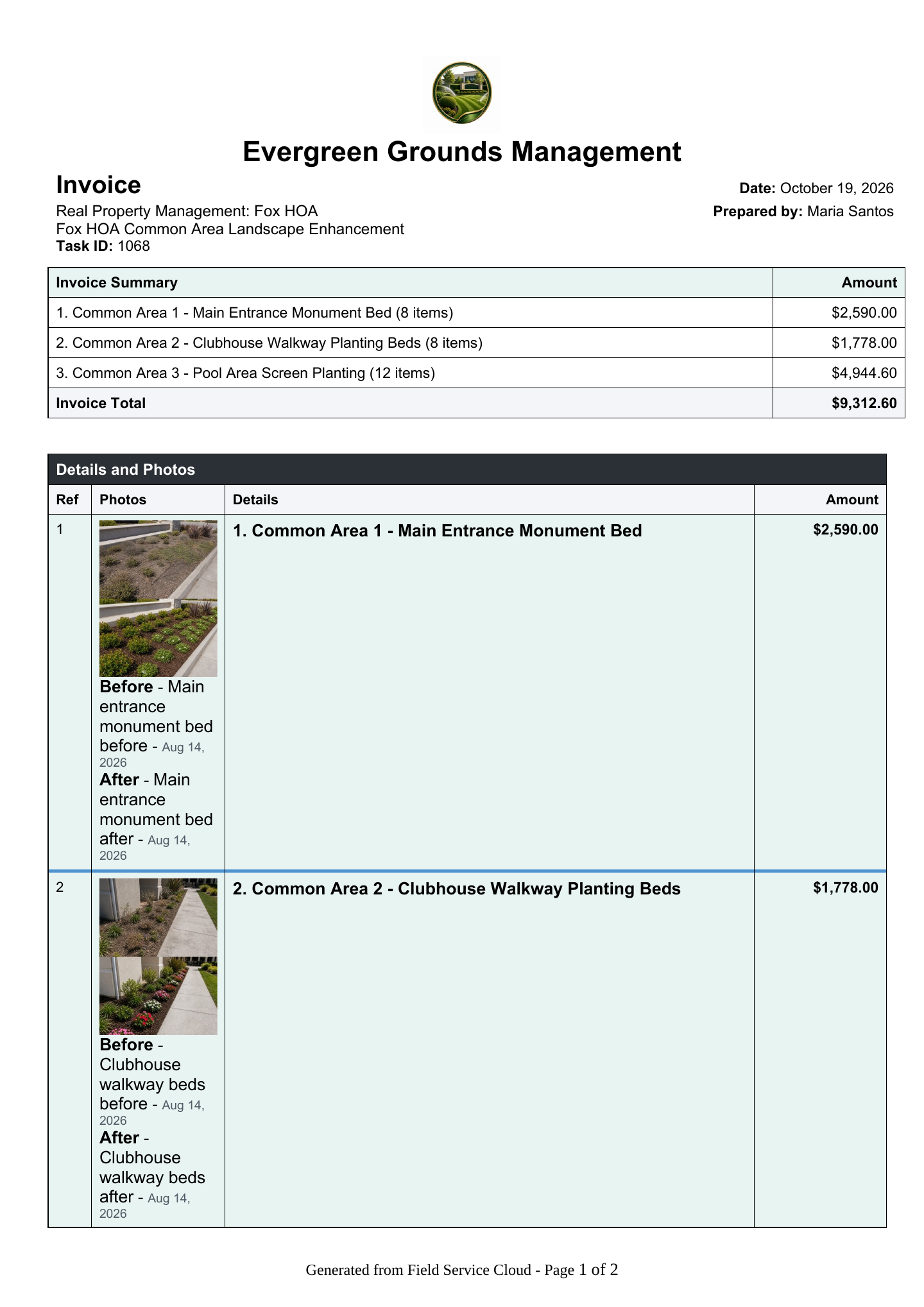
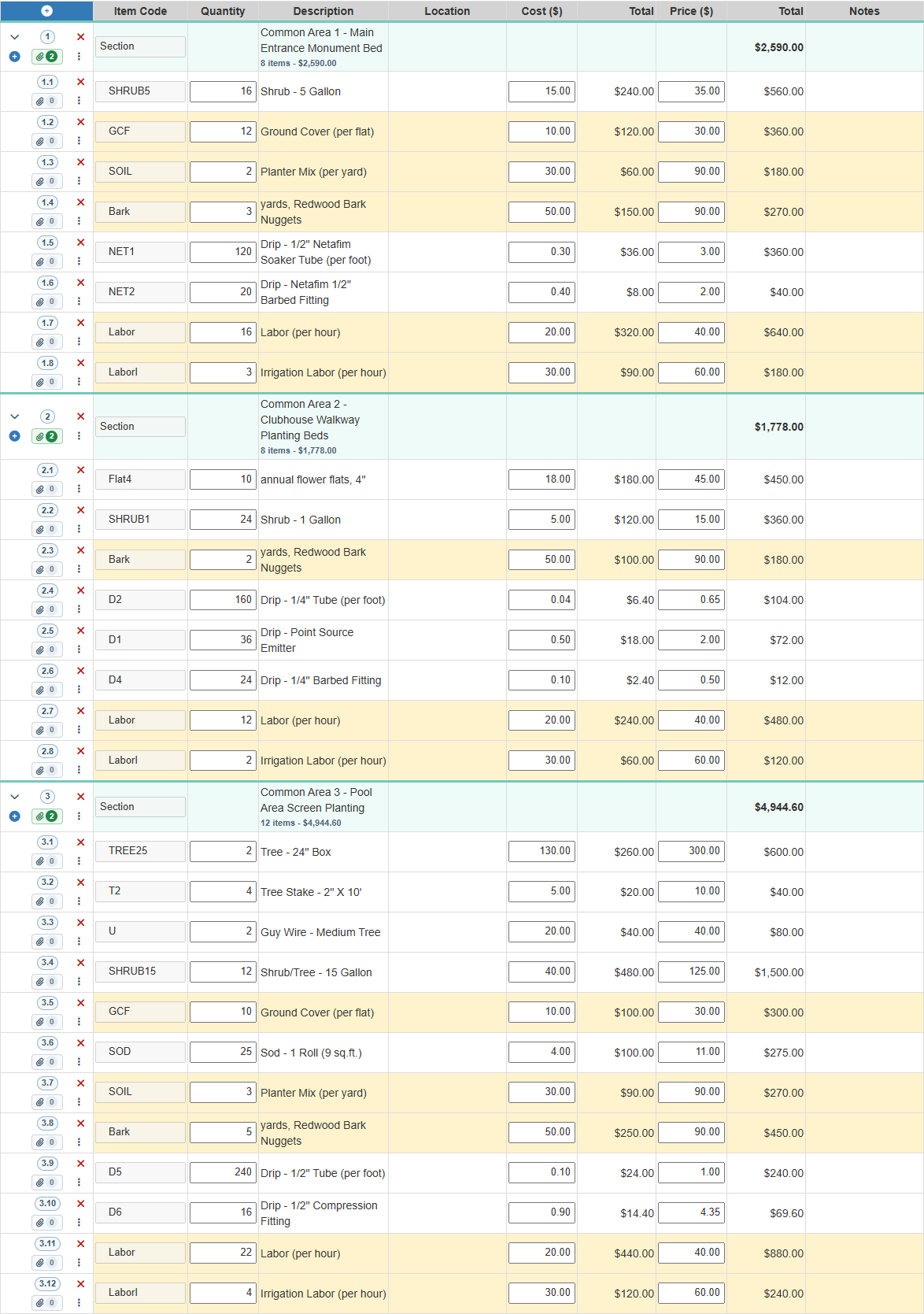
Show the customer the overall charge and the work behind it, with work-area totals and before-and-after photos in one invoice. Page 1 of 2.
View completed invoice — page 2 of 2
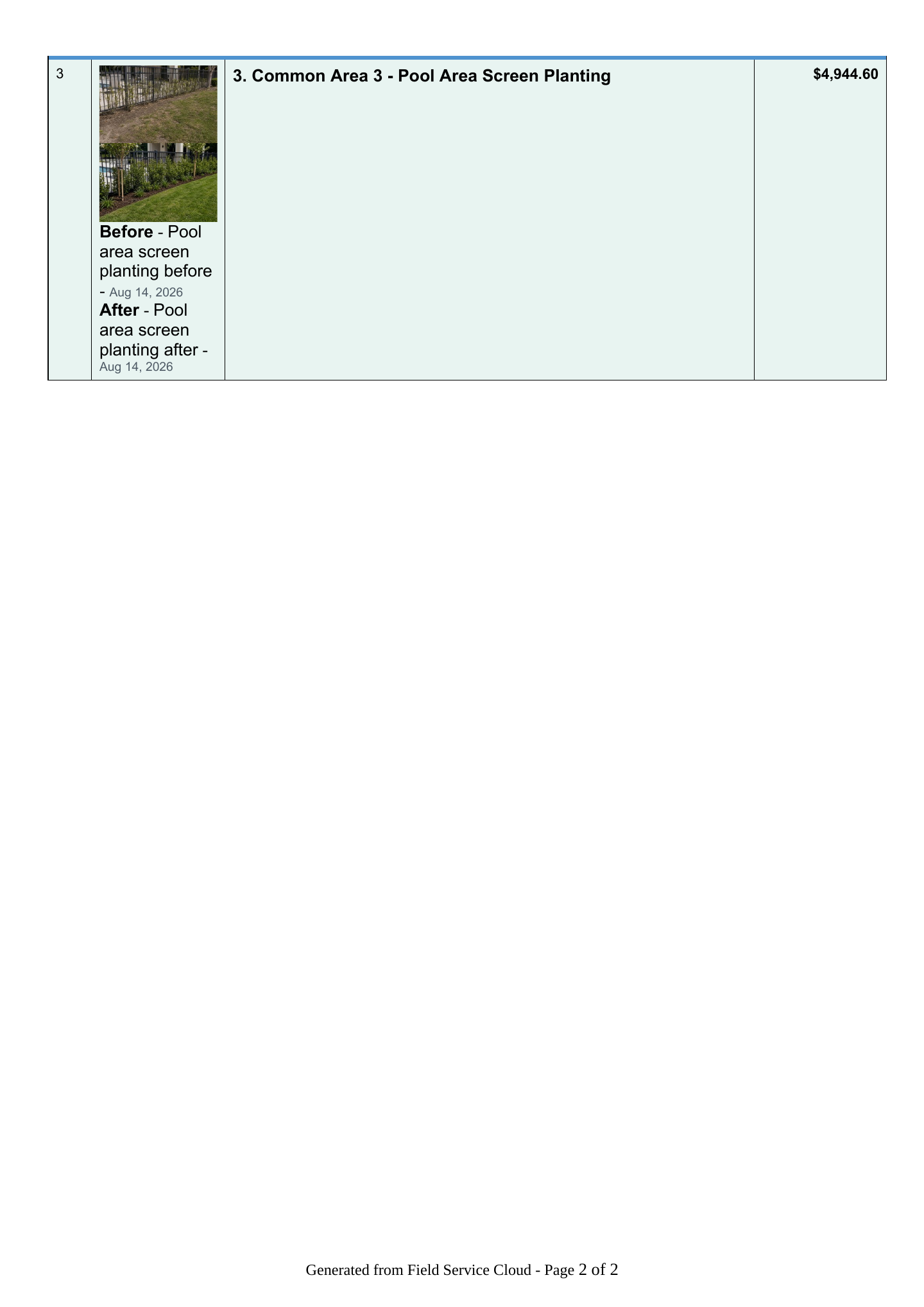
Continue with the pool-area work, its charge, and before-and-after photos, helping the customer understand what was delivered. Page 2 of 2.
How It Works
See one enhancement stay visible through invoice review
Crews work from the approved estimate in Field Assistant, then record actual materials and completion photos while the work is fresh. The office reviews the completed work and prepares an invoice with the scope, charges, and photo detail together.
Prepare and review the estimate
1
Create the estimate from the site visit
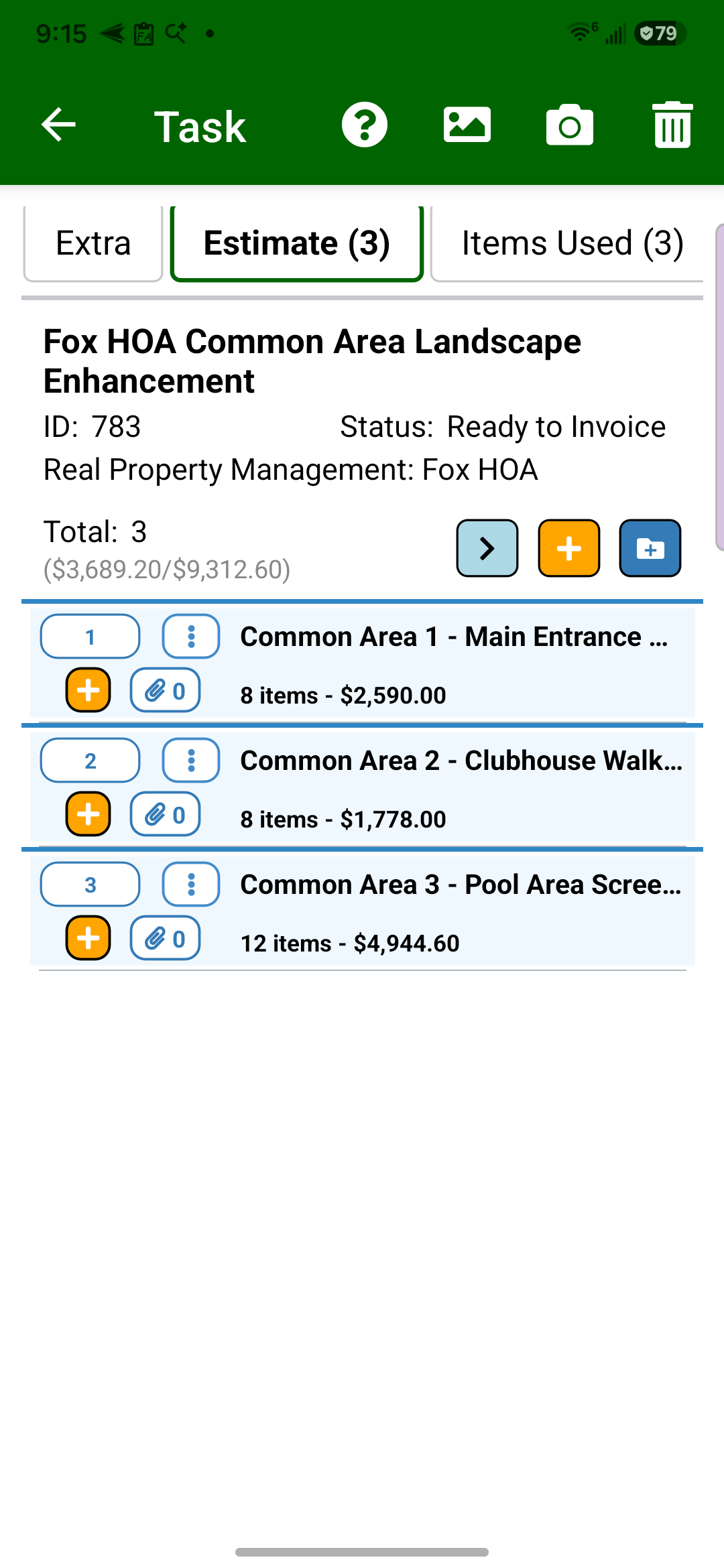
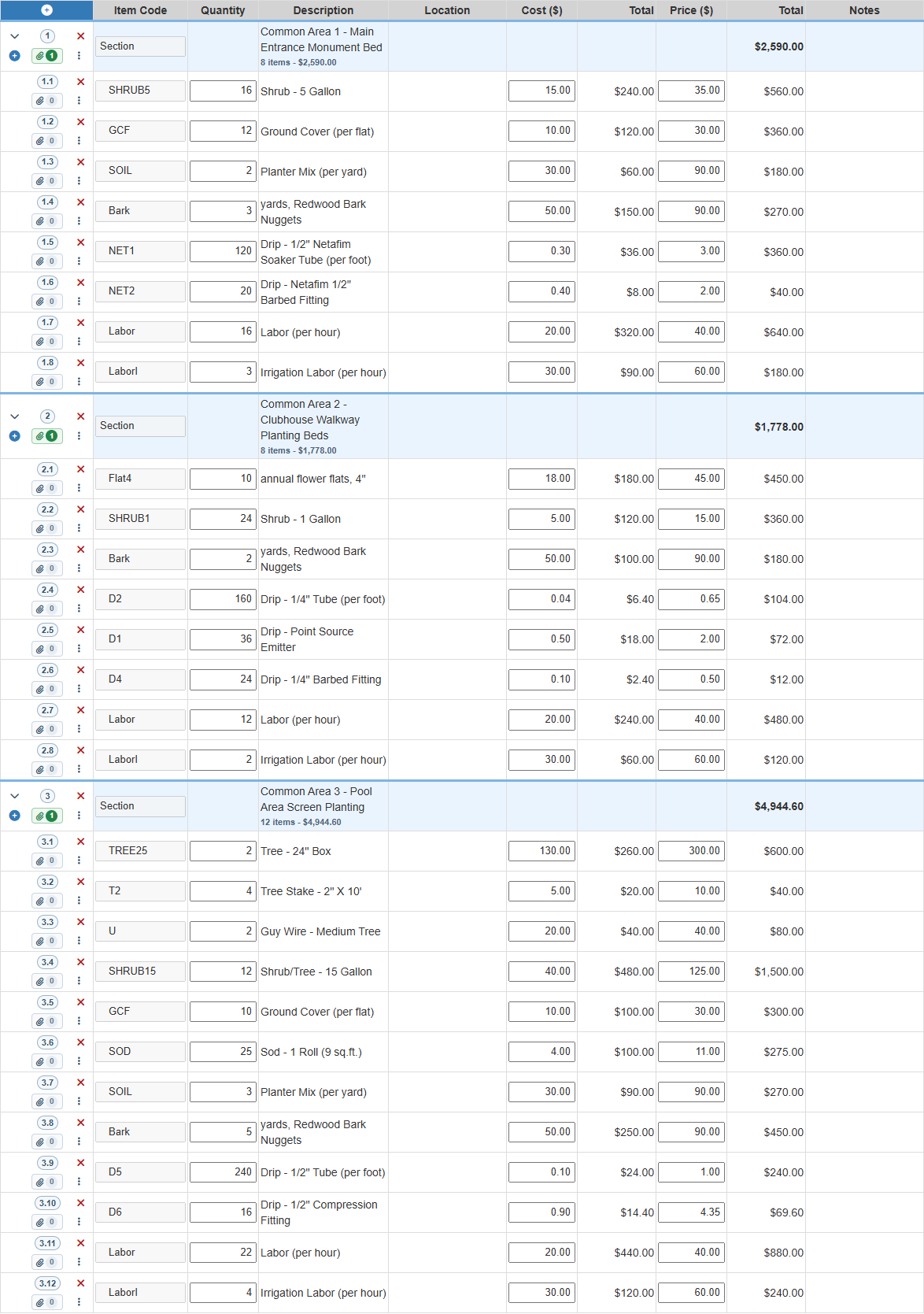
The account manager can capture the requested extra work from the field, including sectioned scope, quantities, notes, and the photos needed to explain the estimate.
The request becomes an estimate.
2
Review the estimate before approval
Field Manager gives the office the sectioned estimate detail, quantities, labor, pricing, and totals so managers can adjust the proposal before it goes to the customer.
The office reviews the proposal.
Record the completed work
3
Record materials used in Field Assistant
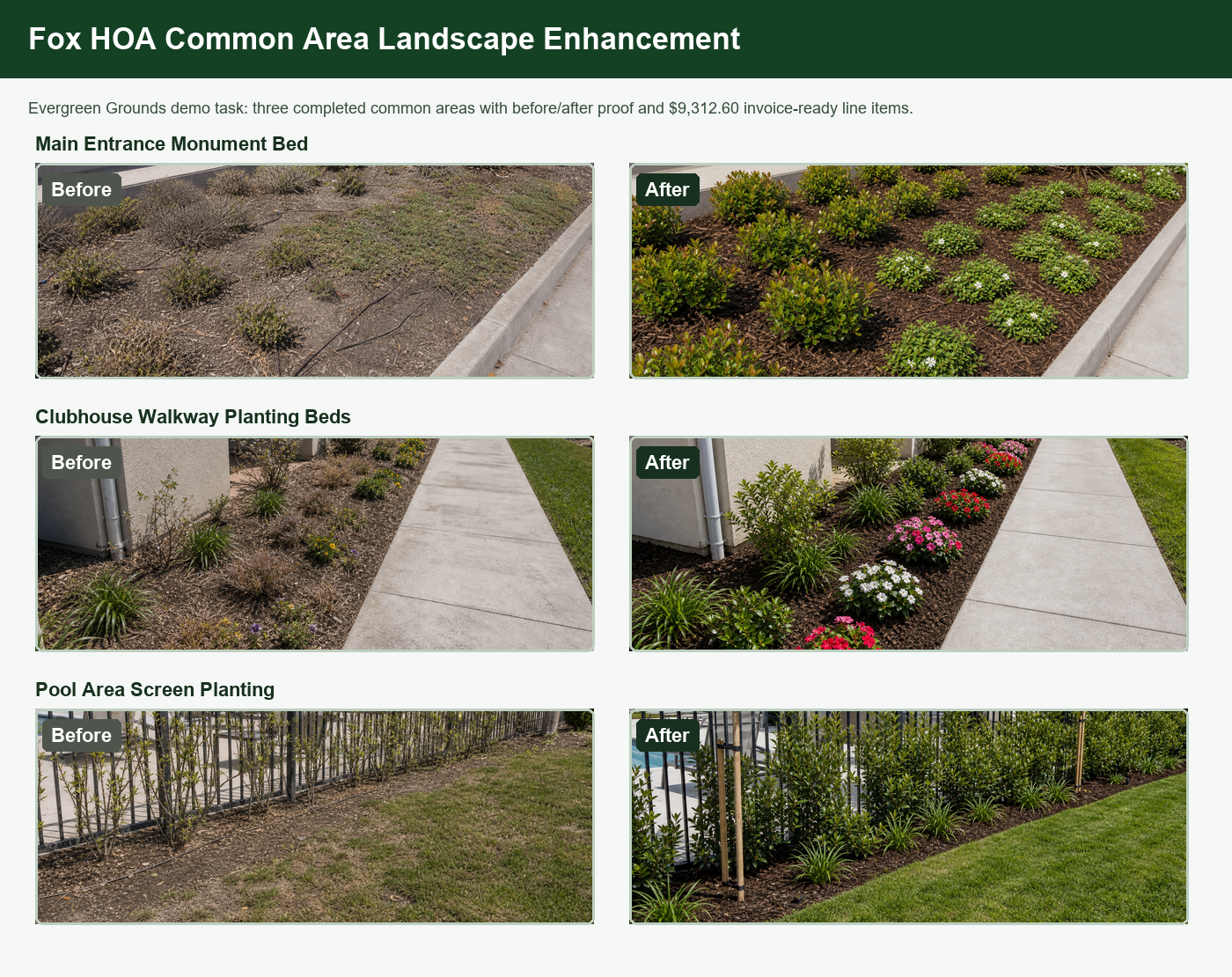
After approval, the crew can start from the approved estimate lines, copy them into items used, and update actual quantities while the work is still fresh in the field.
Crews record actuals in the field.
4
Add before-and-after proof by section
Before-and-after photos stay with each work area, so the office can show the customer what changed and support the completion update.
Photos explain the work.
Review billing and the customer invoice
5
Review actual materials and labor
Field Manager carries the crew-entered quantities, costs, prices, labor, and section totals into office review so the invoice detail can be checked before it leaves the office.
The office checks invoice detail.
6
Review completed extras before invoicing
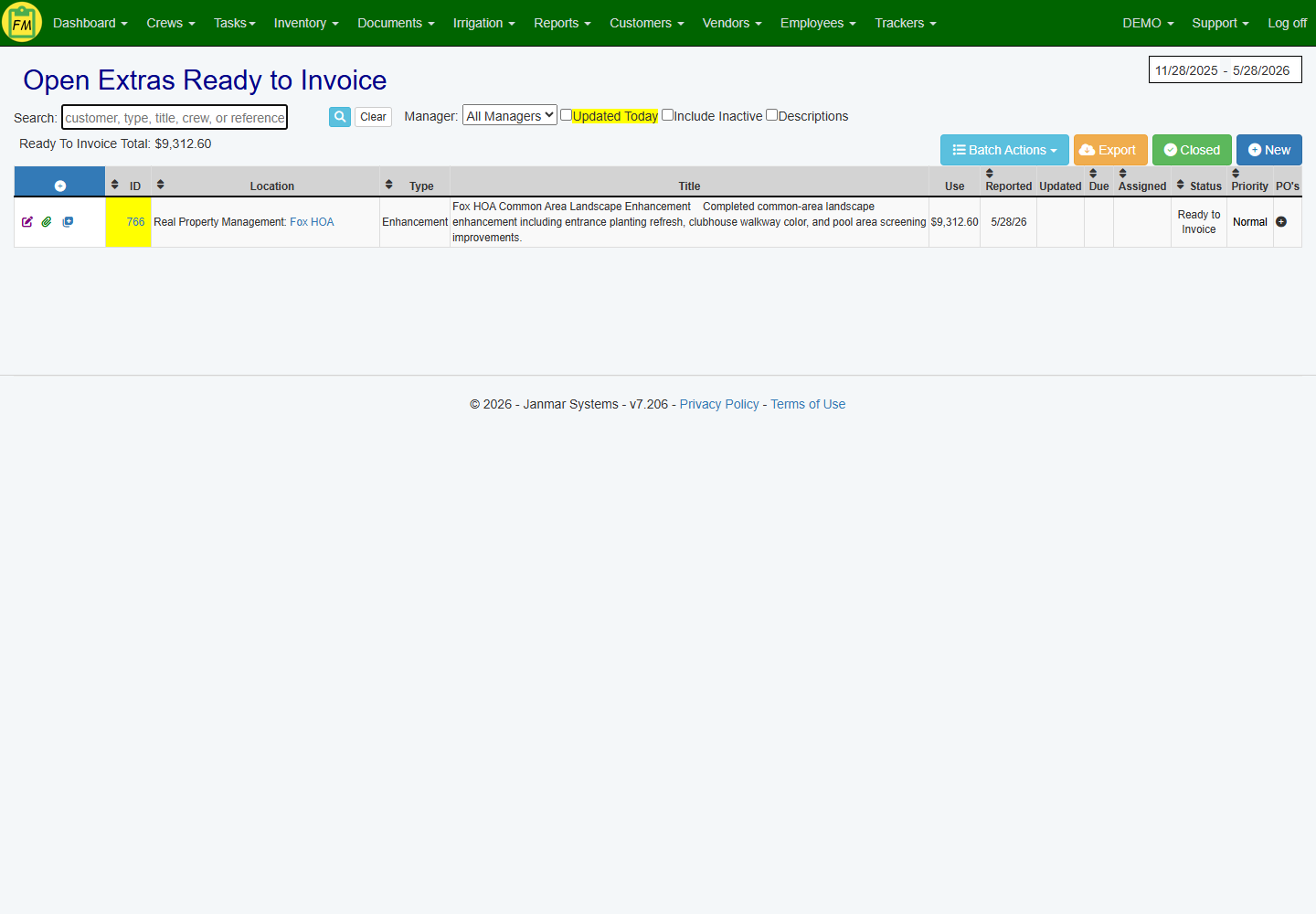
The office sees completed extra work ready for invoice review instead of trying to reconstruct verbal updates, texts, or paper notes after the crew leaves.
Completed work becomes billable.
7
Export a customer-ready Word invoice
Export an invoice with company branding, work-area totals, and before-and-after photos to explain the charges. Review the itemized quantities and rates in Field Manager before sending.
Invoice proof is ready to send.
This page shows one major billable-extra path: enhancement and site extra work. Irrigation repairs are also billable extras for many landscape companies, but they need a different proof path with irrigation maps, station notes, repair parts, and customer-ready estimates. See the Irrigation Inspection & Repair Follow-Up Solution for that workflow.