Tie findings and photos to the controller and station, so the office can understand which area needs attention.
Keep irrigation findings from stalling before customer approval
A technician finds a repair, but the office still needs the location, photos, and scope to put an estimate before the customer. Field Service Cloud keeps those findings together so the technician can prepare the repair estimate and the office can follow up for approval.
Use the walkthrough to map this service example to your current crews, records, and review process.
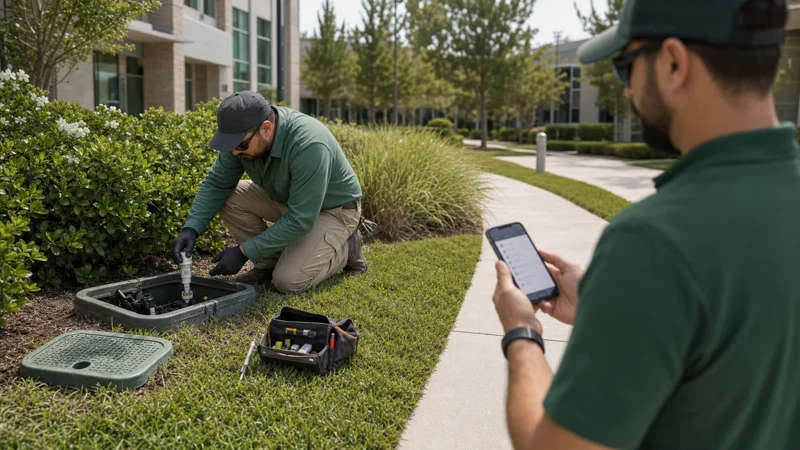
Operations managers, irrigation managers, account managers, and office managers.
Finding the problem is only the start of the repair follow-up
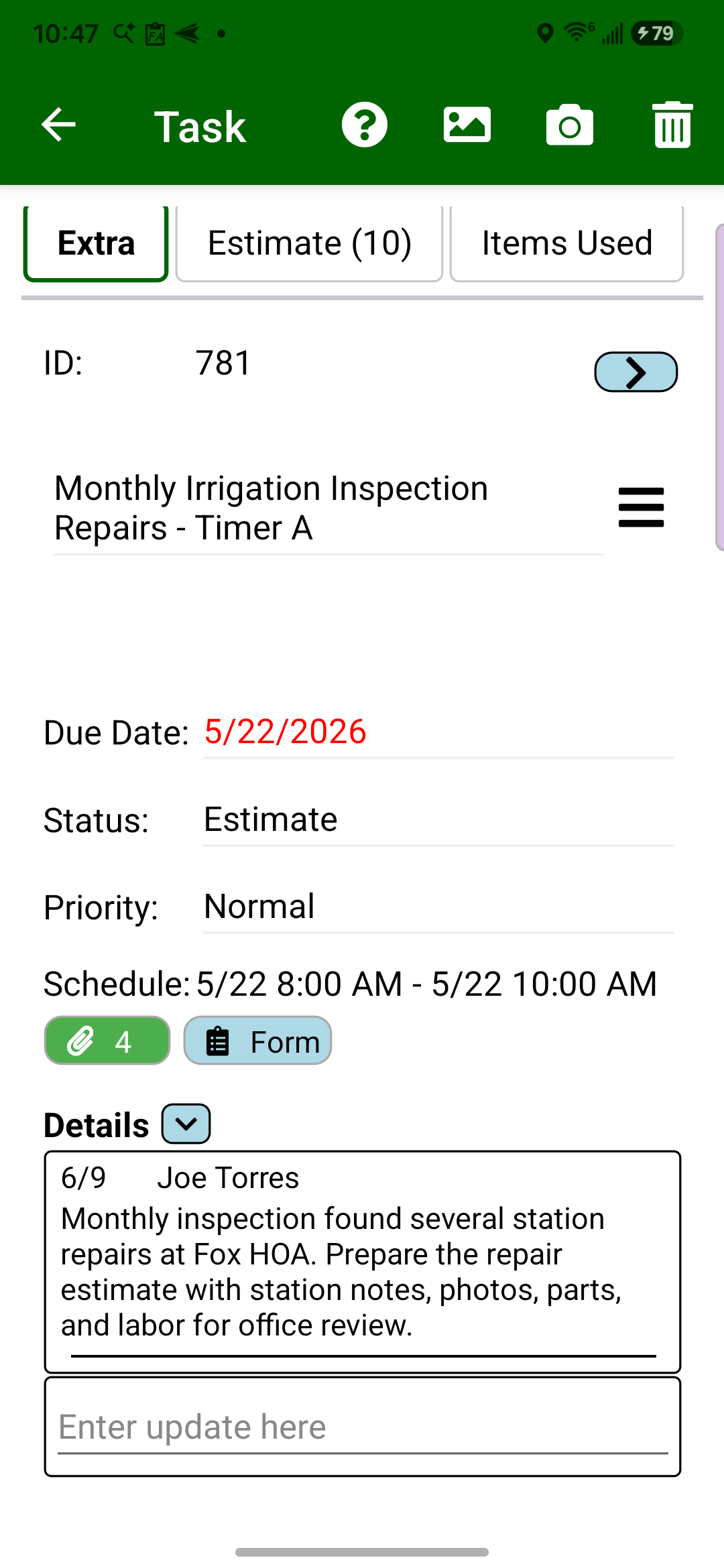
A broken lateral or damaged spray head can turn into another round of calls if the office cannot tell which station needs work or what the repair includes. Field Assistant lets the technician record station findings, photos, parts, and labor while on site. Field Manager gives the office that detail to review and export as an estimate, so customer follow-up can start from a clear repair scope.
Add station findings, parts, labor, and photos in Field Assistant while on site, so the office has the detail needed to review the repair estimate.
Review the repair scope in Field Manager and export an estimate with the supporting detail for customer approval follow-up.
The result
See the finished result
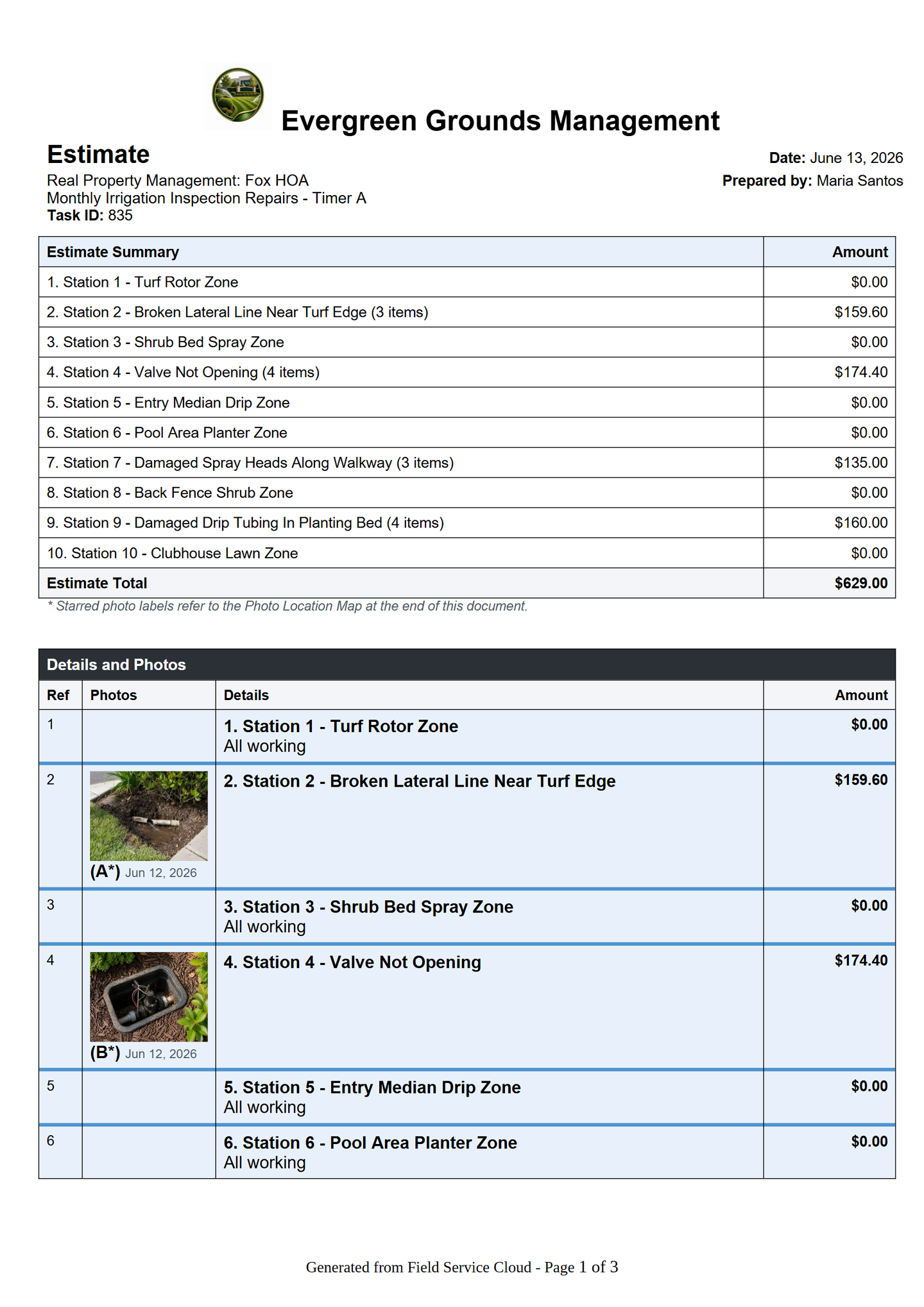
View repair estimate — page 1 of 3
Give the customer the overall price, station detail, and labeled photos, so the proposed work is easier to understand before approval. Page 1 of 3.
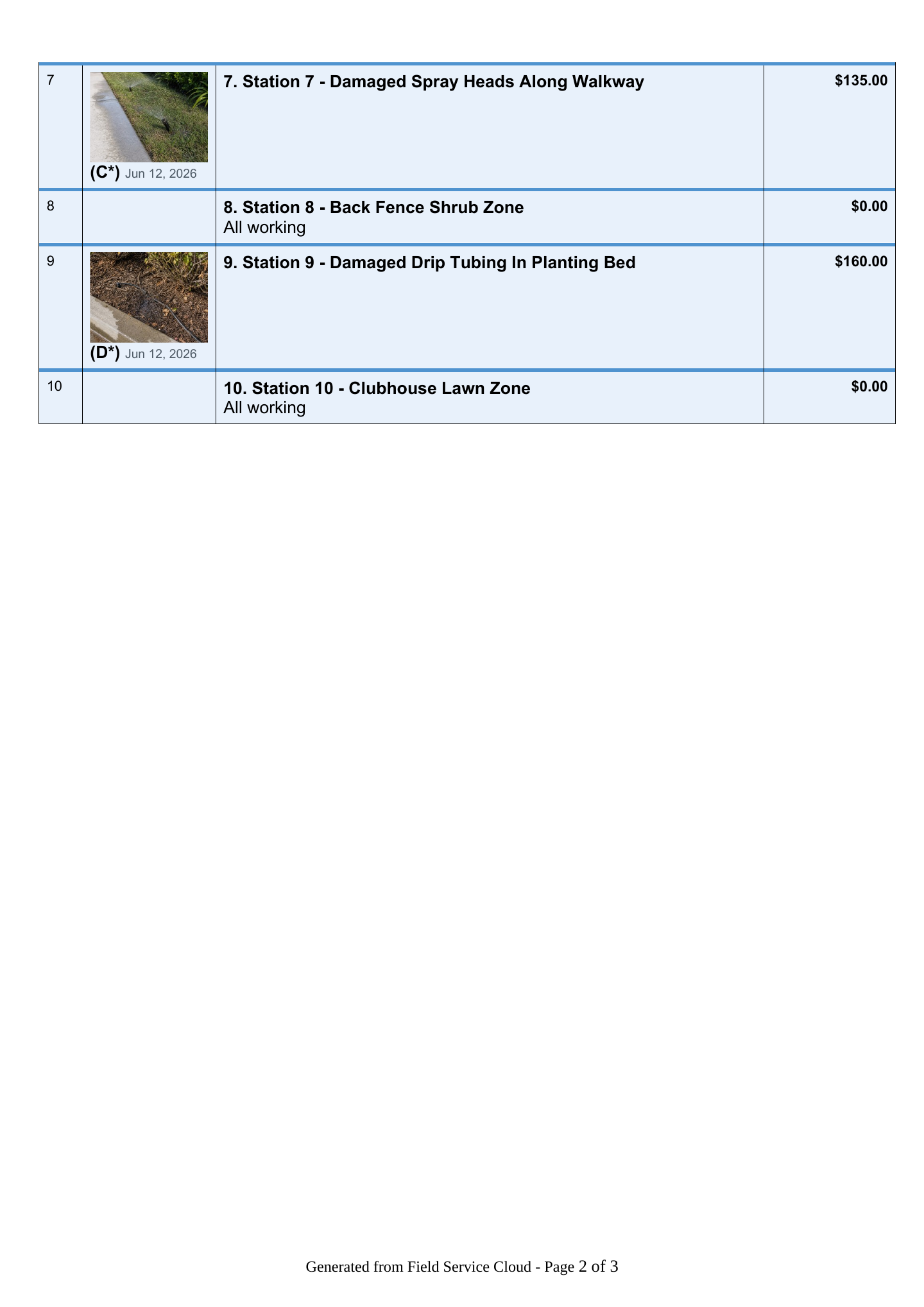
View repair estimate — page 2 of 3
Carry the station findings and supporting photos into the estimate, helping the customer review the proposed repairs in context. Page 2 of 3.
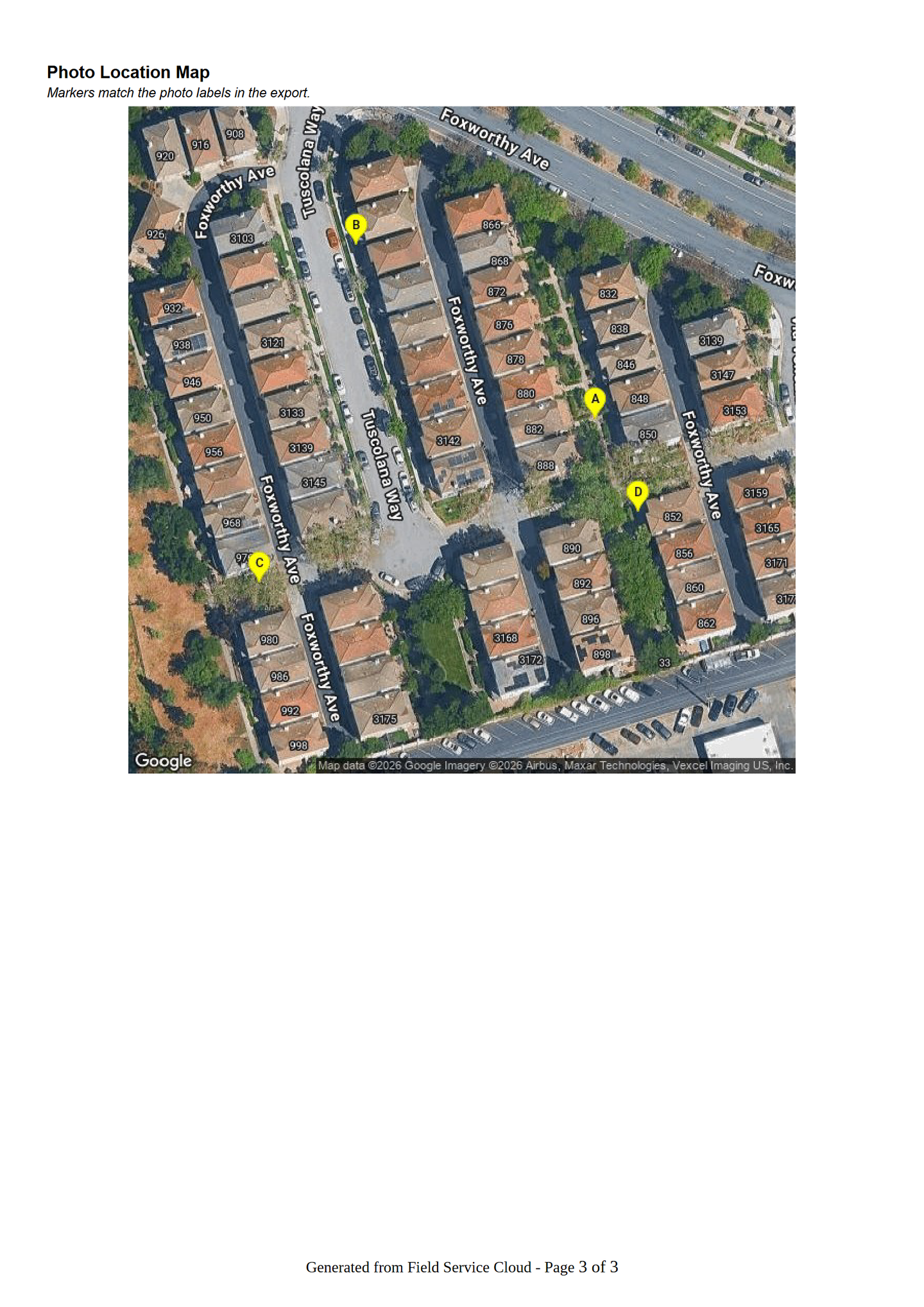
View repair photo map — page 3 of 3
Connect the labeled repair photos to locations on the map, helping the customer see where the proposed work is needed. Page 3 of 3.
How It Works
See the findings behind a customer-ready repair estimate
Technicians capture station findings, photos, parts, and labor in Field Assistant while on site. The office reviews the proposed repairs in Field Manager and prepares a customer-ready estimate, helping move approval follow-up forward with the repair detail at hand.
Locate and document the findings
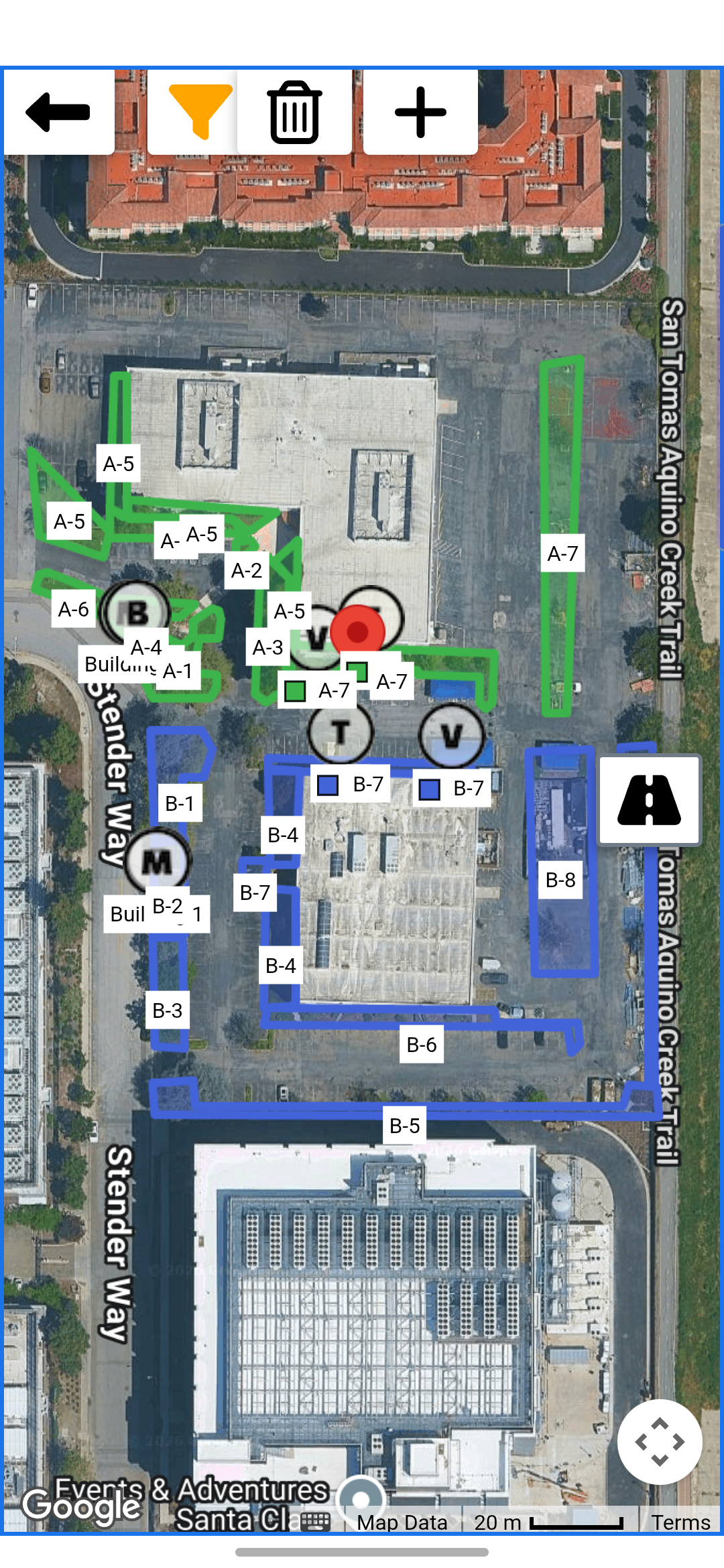
1
Start from mapped irrigation context
Technicians can use mapped controllers, zones, and station areas so inspection notes and repair findings stay tied to the right irrigation system context.
Mapped stations guide the inspection.
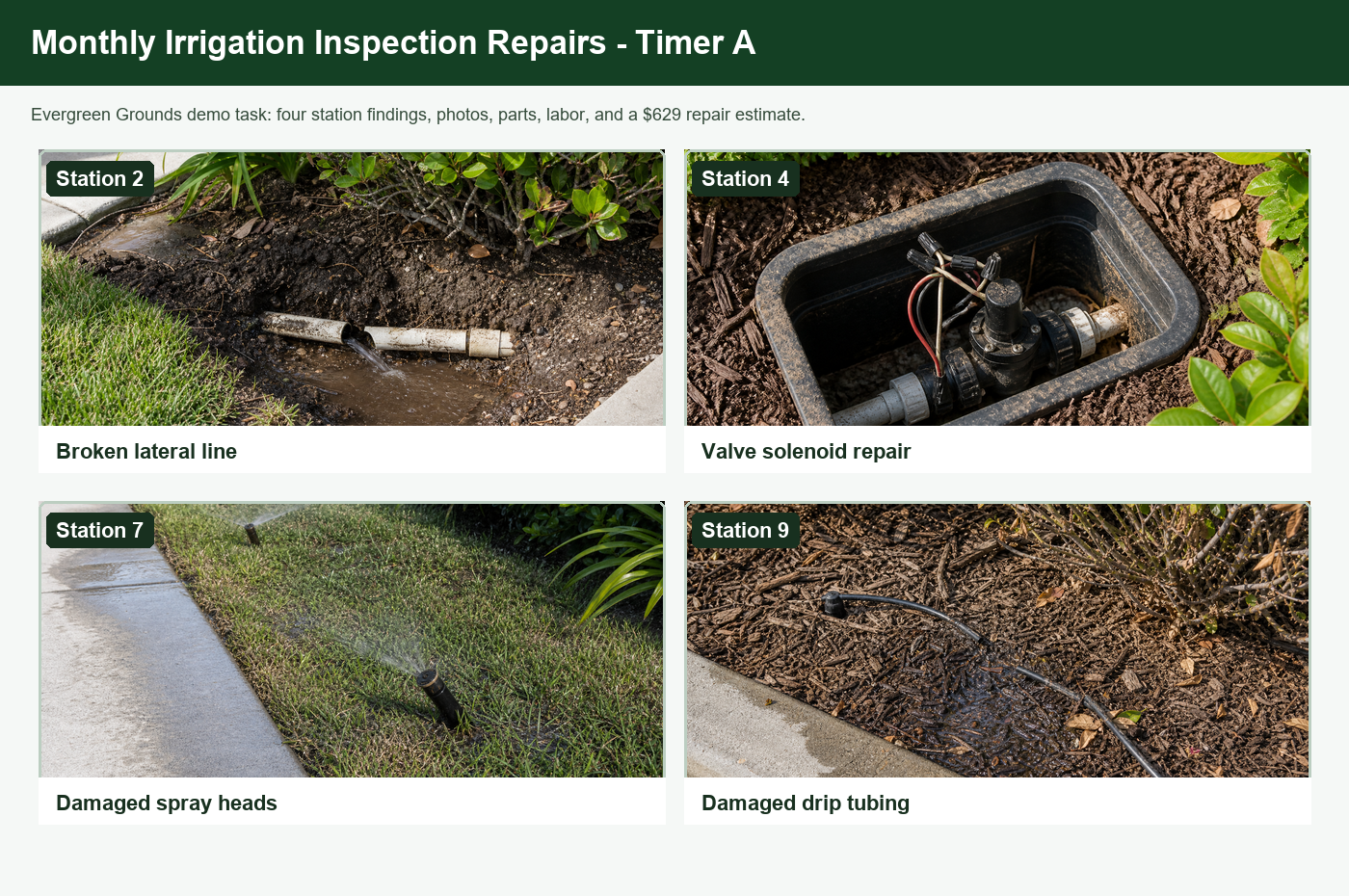
2
Capture repair findings by station
Keep photos with station findings so the office can see the broken lateral, valve problem, damaged spray heads, and drip tubing that need attention.
Each finding has visual proof.
Build and review the repair estimate
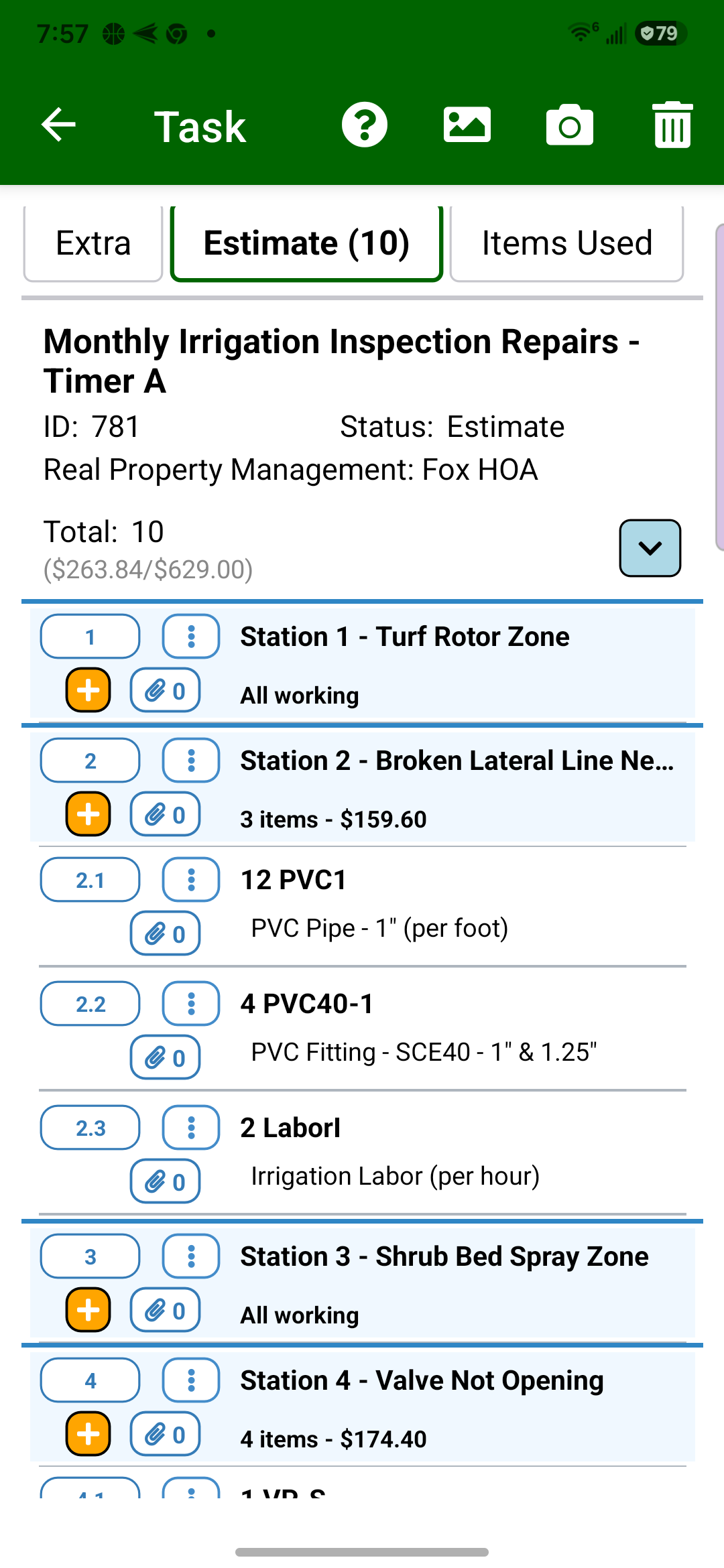
3
Create the repair estimate in Field Assistant
Build the estimate on the phone with station findings, working-station notes, repair photos, parts, and labor while the technician is still on site.
The field estimate starts on site.
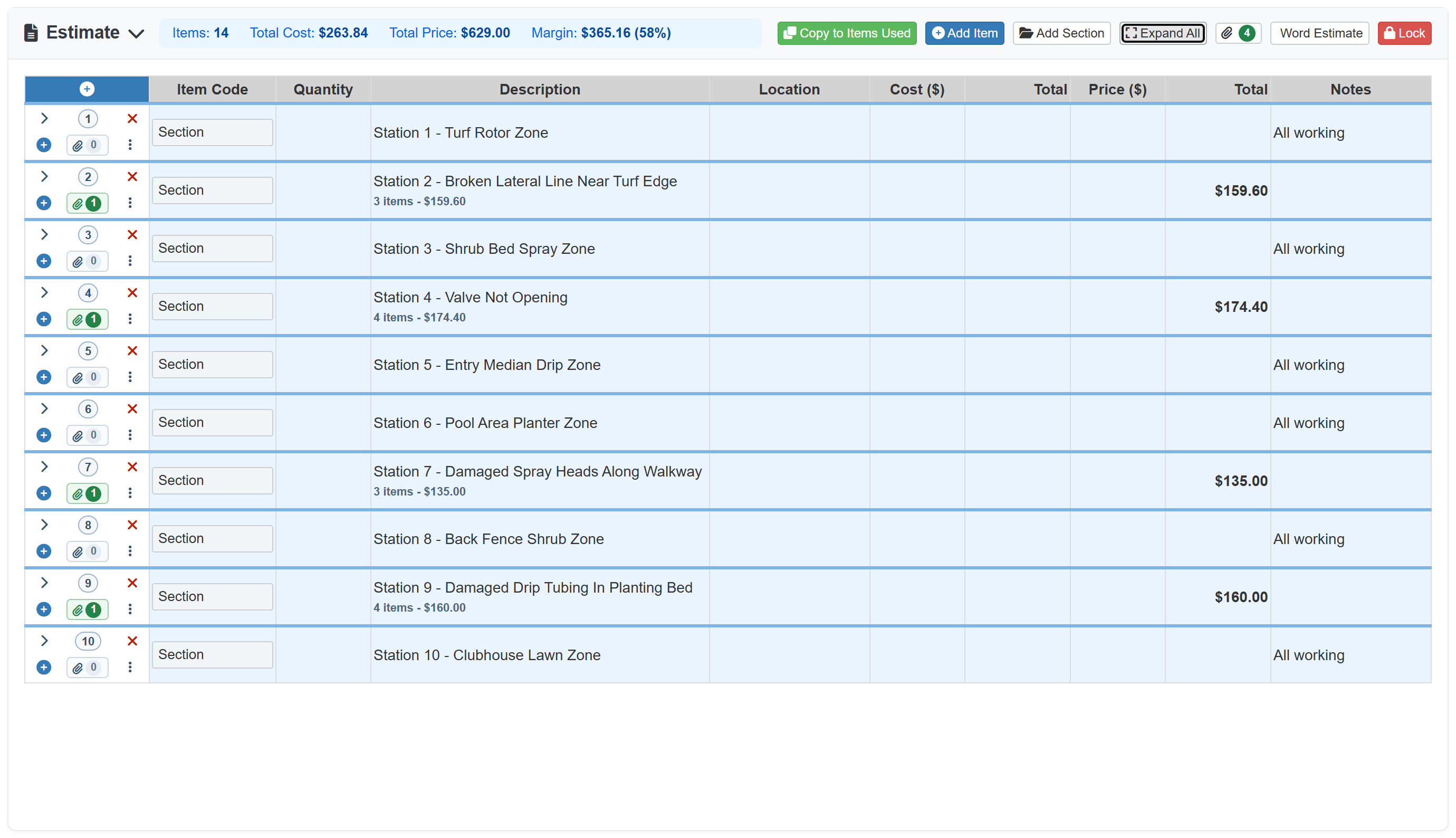
4
Review the sectioned repair estimate
Review the inspection by station, including working areas and proposed repairs. Managers can see repair totals and expand the line detail that needs adjustment before the estimate goes to the customer.
Section review keeps office follow-up clean.
Prepare the customer proposal
5
Export a customer-ready Word estimate
The final estimate export includes station totals, all-working notes, labeled repair photos, and one photo-location map that ties those photos back to the station findings. Open all three pages above to review the complete customer example.
Repair estimate is ready to send.
Irrigation repair work is another major billable-extra path for many landscape companies. This page focuses on the specialized irrigation workflow: maps, station notes, repair photos, parts, labor, and customer-ready estimates. See the Billable Enhancements & Site Extras Solution for non-irrigation enhancement and site-extra work.